
For a first-time SaaS buyer, buying business software feels like a minefield. One wrong step can be disastrous. Every vendor sells the perfect solution. You just need a tool that works. Exciting? Yes. Overwhelming? Absolutely.
This guide offers the 2026 roadmap. We cut through the hype for you. Stop wasting your budget and start making smart decisions today. Maybe you’re tired of the noise.
Our data shows first-time buyers overlook key steps. This leads directly to wasted money and stalled projects. Let’s fix that.
What Problem Are You Actually Solving?
You see a flashy demo. You imagine the results. Then you skip the internal chat.
Buying software before defining your actual problem is the number one error, according to our analysts. Your team must define the problem first. A solution finds a problem, not the other way around.
Questions You Must Answer Before Any Sales Call
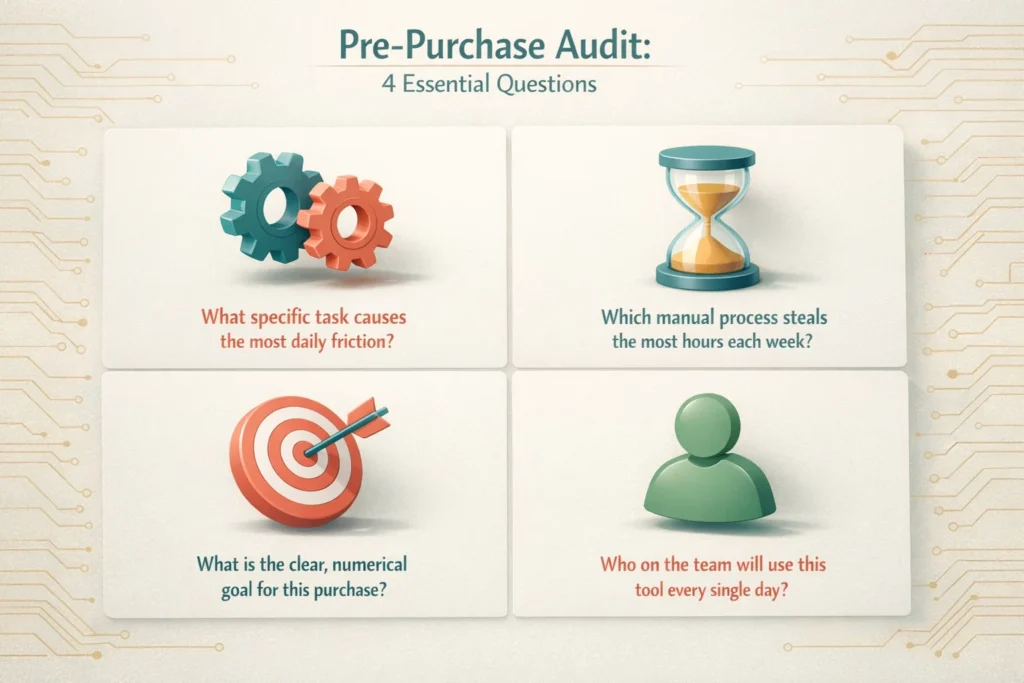
Answer these with your team. Write the answers down:
- What specific task causes the most daily friction?
- Which manual process steals the most hours each week?
- What is the clear, numerical goal for this purchase?
- Who on the team will use this tool every single day?
This simple list prevents disaster. Teams that complete this planning report significantly faster evaluation processes and better outcomes.
The planning phase feels slow. It saves months of backtracking later. You wouldn’t hire an employee before defining the role. Software deserves the same rigor.
How Much Does SaaS Really Cost?
The monthly subscription is just the entry fee. Implementation has real costs. Training has real costs. Data migration has serious costs.
You must account for everything.
The 2026 SaaS Price Tag Breakdown
Forget the advertised price. Your true cost includes these line items:
| Cost Category | What It Includes | Typical 2026 Range |
| Subscription | Per-user monthly or annual fee | $20 to $300 per user monthly |
| Implementation | Setup, configuration, and onboarding | $500 to $10,000 or more |
| Integration | Connecting to other tools through APIs | $0 to $5,000 or more |
| Training | Team onboarding and learning curve time | $500 to $3,000 or more |
| Data Migration | Moving old information to the new system | $0 to $7,500 or more |
| Annual Growth | Price increases, adding new users | 10% to 20% yearly |
Add those numbers. The final number is your actual budget.
Surprised? Most first-time SaaS buyers are. That sticker shock kills projects mid-flight. Vendors who are upfront about these costs from day one? Those are the ones worth working with.
Industry research consistently shows the total cost of ownership extends far beyond subscription fees, often surprising first-time buyers. Budget accordingly or face painful conversations with finance later.
Should You Buy the Enterprise Suite?
Sales reps love to upsell. You get pitched the complete package with features named after planets.
You will never use 70% of them. You pay for 100% of them. This bloat drains cash and confuses your team.
How to Filter Features
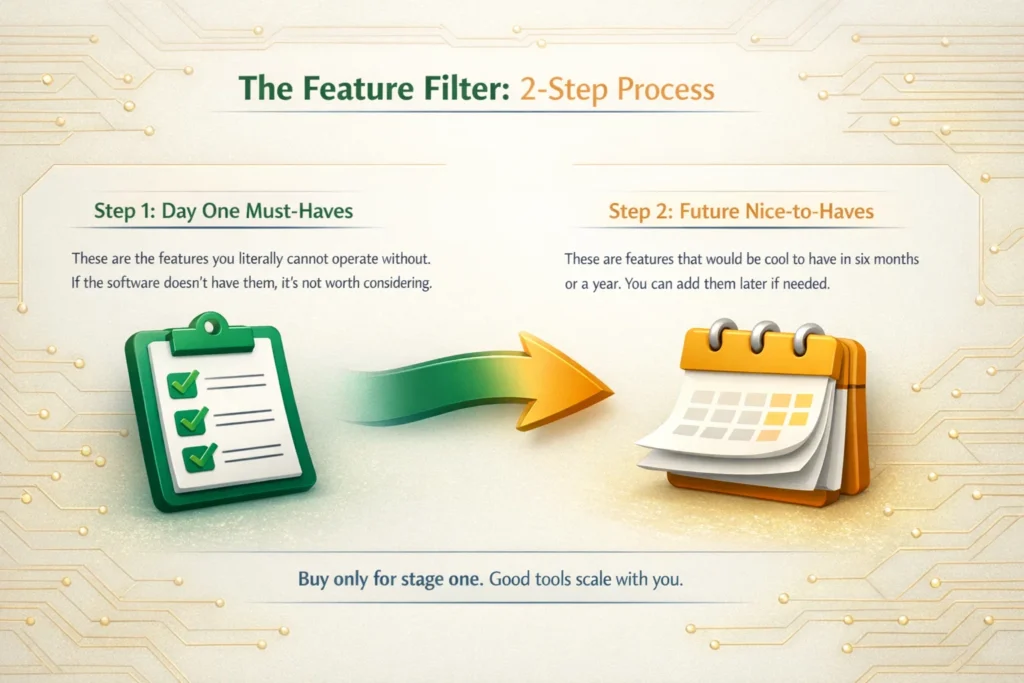
First, list your needs for day one. These are the must-have features. Second, identify future needs for year two.
Buy only for stage one. Good tools scale with you. Pay for tomorrow’s features tomorrow.
Five “Nice-to-Have” Features That Sink First-Time Buys
- Advanced Analytics Dashboards—They look impressive in demos. Your team needs basic reporting first. The fancy stuff sits unused and forgotten.
- Native Mobile Apps—Unless your team is truly on the road daily, a responsive web interface works. App development inflates the price without adding real value.
- Built-in Chat and Communication—You already use Slack or Teams. Duplicating this inside every tool creates notification chaos nobody wants.
- Custom Workflow Automations—Out-of-the-box automations work fine for most teams. Heavy customization requires a specialist you don’t have on staff.
- White-Labeling and Branding—You are not reselling the software. Paying to remove the vendor’s logo offers zero internal value to operations.
Studies from product analytics firms show businesses use less than half of purchased software features. Start lean. Add features when an actual need emerges, not when a sales deck promises future utility.
What’s Your Exit Strategy?
You think about the marriage. You never think about the divorce.
What happens if the software fails? How do you get your data out? You must ask this upfront. Vendor lock-in is a real threat that traps companies for years.
Questions to Ask About Data Portability
Pose these questions to the salesperson. Get the answers in writing:
- What is your standard process for customer data export?
- What formats (CSV, JSON, SQL) do you provide for our data?
- Is there a fee for full data export and account decommissioning?
- What is the typical timeline for retrieving all data upon cancellation?
Their answers tell you everything. Hesitation is a major red flag. Clear, documented processes show a mature vendor. This protects your business information forever.
Professional software companies have straightforward data export procedures. They document them publicly. If a vendor can’t answer these questions clearly, walk away. Your data is your business. Never let someone else control access to it without guaranteed retrieval rights.
Why Can’t You Trust Demos Alone?
You watched a slick demo. The rep clicked perfectly through a flawless scenario.
This is a performance. Your team’s daily use will be messy, unpredictable, and frustrating. You must test the software in your own environment with your own data. Insist on a hands-on trial.
The 2026 Proof-of-Concept Checklist
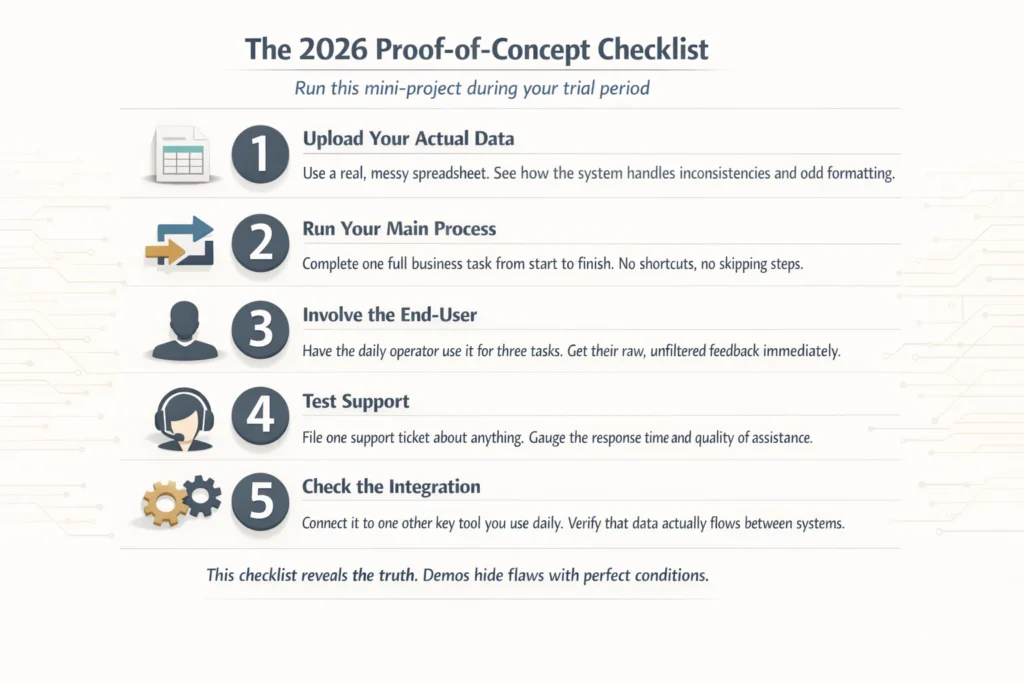
Run this mini-project during your trial period:
- Upload Your Actual Data—Use a real, messy spreadsheet. See how the system handles inconsistencies and odd formatting.
- Run Your Main Process—Complete one full business task from start to finish. No shortcuts, no skipping steps.
- Involve the End-User—Have the daily operator use it for three tasks. Get their raw, unfiltered feedback immediately.
- Test Support—File one support ticket about anything. Gauge the response time and quality of assistance.
- Check the Integration—Connect it to one other key tool you use daily. Verify that data actually flows between systems.
This checklist reveals the truth. Demos hide flaws with perfect conditions and expert users. Your own trial exposes reality. This step alone prevents most buyer’s remorse down the line.
We think testing separates confident purchases from expensive mistakes. Companies that run structured trials like this report higher long-term satisfaction with their software choices.
Making Your First SaaS Purchase Work
The process seems long. It saves you months of headache and thousands of dollars.
First-time SaaS buying in 2026 requires a disciplined approach. Define the problem clearly with input from actual users. Calculate the true cost of ownership, not just subscription fees. Resist feature bloat and enterprise packages that promise everything.
Plan your exit before you commit. Demand a real trial with your data, your processes, and your team.
This framework turns a risky purchase into a confident investment. You stop being a sales target. You become a strategic buyer who controls the relationship from day one.
The right software makes work easier. Wrong software creates new headaches that compound daily. With this blueprint, you find tools that actually deliver on promises instead of just looking good in PowerPoint decks.
Frequently Asked Questions About First-Time SaaS Purchases
Q1: What’s the biggest mistake a first-time SaaS buyer makes?
Skipping the planning step. Most first-time SaaS buyers see a cool demo and buy immediately. Big mistake. You need to define your problem first. What task slows you down every day? Which process wastes the most hours? Write down clear goals before talking to vendors. This simple step prevents most buyer regret later.
Q2: Why does SaaS cost more than the price tag?
The subscription fee is just the start. You also pay for setup, training, moving your data, and connecting to other tools. That $50 monthly software? It might actually cost $5,000 in year one. Always ask vendors for the complete cost breakdown. No surprises that way. First-time SaaS buyers often get blindsided by these hidden costs.
Q3: How do I avoid getting trapped by bad software?
Ask about getting your data out before you buy. Can you export everything? What file types do they give you? Do they charge fees to leave? How long does export take? Get written answers. If they can’t answer clearly, walk away. Your data belongs to you, not them. Many first-time SaaS buyers forget this critical step.
Q4: Do I really need to test software first?
Yes. Demos look perfect because they use fake data and expert users. Your real work is messier. Try the software with your actual spreadsheets. Run a full task from start to finish. Let your team test it. File a support ticket. See if it connects to your other tools. Real testing shows real problems. Every first-time SaaS buyer should demand a hands-on trial period.
Stop Shopping Alone
You have the blueprint now. Implementation is where most buyers falter.
Bookman Capital is dedicated to helping first-time SaaS buyers navigate their first purchase. We sit on your side of the table during vendor negotiations. Our analysts run the numbers before you sign anything. We verify every claim vendors make about their software.
Think of us as your SaaS buying team. You focus on running your business. We handle the technical due diligence, contract review, and price negotiation.
Contact Bookman Capital today and stop overpaying for software that underdelivers.
Sources: